no right to send permission denied send on behalf send as error wrong account alias error shared mailbox error cannot submit message
Why am I seeing "does not have the right to send mail"?
How to fix the permission error when sending from an alias or shared mailbox.
Contents
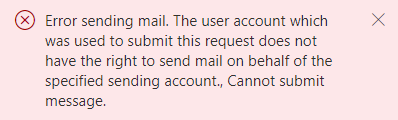
What This Error Means
You’re signed into SecureMailMerge with an account that doesn’t have permission to send from the email address you’ve selected as the sender.
How to Fix It
Option 1: Sign in with the correct account
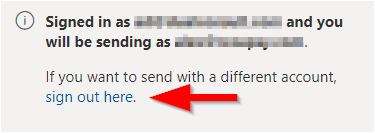
- Click the “sign out” link in SecureMailMerge
- Sign in again with the account that owns the email address you want to send from
Option 2: Get “Send As” permissions
If you’re trying to send from an alias or shared mailbox:
- Ask your IT administrator to grant you “Send As” permissions for that email address
- Once granted, sign out and sign back in to SecureMailMerge