Runs inside Outlook. Your spreadsheet never leaves your computer.
Secure Mail Merge for Outlook
Personalized emails sent from your own Microsoft 365 mailbox. Your spreadsheet stays on your machine. Your IT team reviews exactly two things: the add-in and the permissions it asks for.
New Outlook Classic Outlook Mac Web No Word required
★★★★★ 4.9 stars on Microsoft AppSource View licensing options
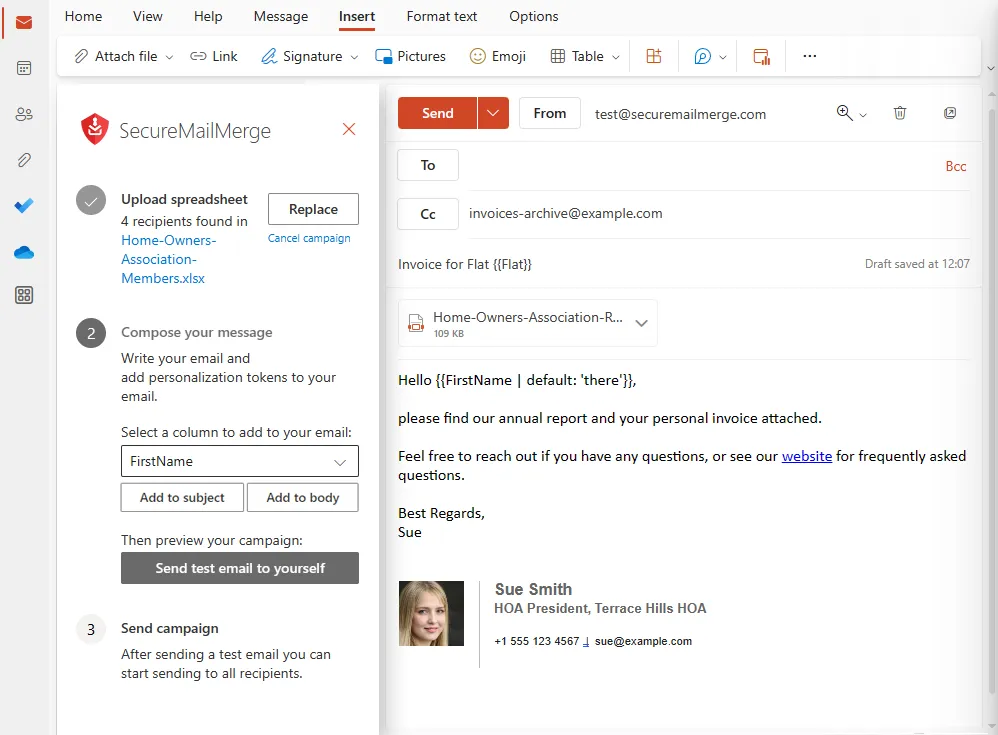
Two architectures, one difference
Most mail merge tools ask you to upload your recipients so their servers can send on your behalf. SecureMailMerge is built the other way round.
Typical mail merge service
- Your recipients and spreadsheet
- Their cloud servers
- Mail from their infrastructure
Your data is copied out of your tenant. Their retention, their access controls, their breach surface.
SecureMailMerge
- Your recipients and spreadsheet
- Your Outlook, on your computer
- Mail from your mailbox
Your data never leaves the path it is already on. Your retention, your access controls, your audit trail.
Where your campaign data goes
The merge happens on your computer and the mail leaves from your mailbox.
- Processed inside Outlook
- Every message is assembled locally, in the Outlook add-in sandbox, and sent through your own mailbox via Microsoft Graph.
- Nothing is uploaded to us
- Not a retention policy we could change: we operate no server that receives campaign data.
- Your token stays with Microsoft
- The access token is stored on your computer and exchanged only with Microsoft. Never transmitted to us.
- Listed on Microsoft AppSource
- Published on AppSource with a Publisher Attestation, a self-reported questionnaire rather than a Microsoft security review. Installed and approved by your admin like any other Microsoft 365 add-in.
What we cannot see
A matter of capability, not policy. There is no endpoint these could reach.
- Your recipients and their email addresses
- Your spreadsheets and the data in their columns
- The content of your emails
- Your attachments
- Who you sent to, and when
What we do see
So you can plan around it.
- Anonymous usage counts (how often it runs, how many recipients)
- Error reports (where in our code something failed, no recipient data)
- Your email address, checked against our license list
That check goes to one licensing server on European Microsoft Azure. It performs no mail merge work. Beyond the Microsoft 365 endpoints you already allow, the add-in contacts three hosts: www.securemailmerge.com for the license check, analytics.solinventum.com for anonymous usage counts, and Sentry for error reports. Only the licensing host is required; the other two can stay blocked. Firewall rules
Designed for GDPR compliance
No badge proves that your recipient data stayed inside your tenant. What we can show you is where the data sits and the paperwork that covers it. Your retention, DLP, eDiscovery, and audit controls keep working because these emails look like any other mail from that mailbox.
How it works in practice
Four steps, none of which involve creating an account with us.
-
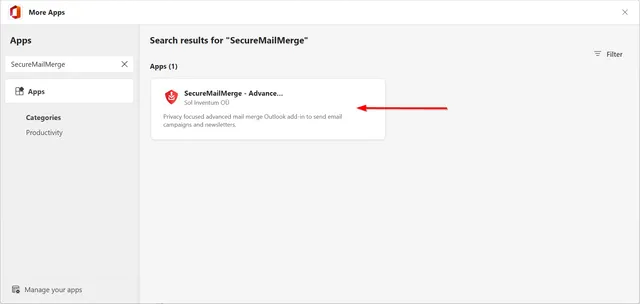
1 Install from AppSource
Yourself, or centrally from the Microsoft 365 admin center.
-
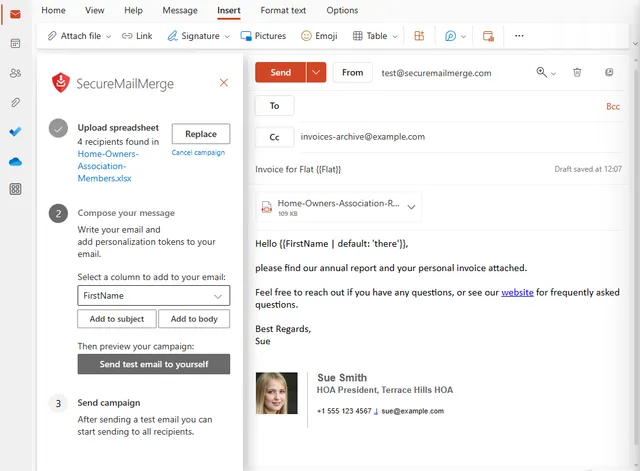
2 Open it in Outlook
Start a new email and open the add-in pane.
-
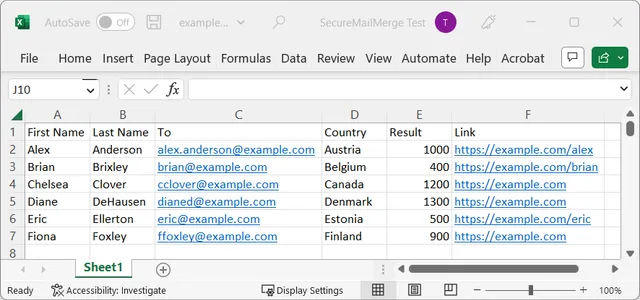
3 Merge from your spreadsheet
Excel or CSV, with per-recipient attachments if you need them.
-
4 It sends from your own inbox
Preview the messages, then send. Replies come back to you.
Questions IT and security teams ask us
Is my recipient data sent to SecureMailMerge?
No. The spreadsheet is read and the emails are assembled inside Outlook on your own machine. The finished messages go to Microsoft Graph, the same interface Outlook uses to send any email, and from there to your recipients. The add-in never transmits your recipient data to SecureMailMerge or to any other third party, and you can confirm that in the add-in network traffic: besides Microsoft Graph, the add-in only sends the license check, anonymous usage counts, and error reports, none of which carry recipient data. We only see campaign content if you choose to send us examples for support.
What does my IT admin need to approve?
Two things: the add-in, and the permissions it requests. Install it from AppSource, or deploy it centrally from the Microsoft 365 admin center. Each permission is granular and documented with its reason on the permissions page: sign-in and profile, contacts, calendar read, sending mail as you, mail read and write, mailbox settings, and a refresh token. Your spreadsheet needs no Microsoft permission at all, because it is read locally. For firewall rules, one host is required beyond your existing Microsoft 365 endpoints: https://www.securemailmerge.com, with GET to load the add-in and POST to the license endpoint. Two more are optional and can stay blocked: analytics.solinventum.com for anonymous usage counts and Sentry for error reports.
Do you store my emails or attachments?
No, and there is nothing to store. We operate no server that receives email content, attachments, or spreadsheets. Our licensing server checks whether your own email address holds a commercial license. It performs no mail merge work, and that request carries only your email address, a product name, and a timestamp.
Is SecureMailMerge GDPR compliant?
Designed for it, not certified against it. We hold no certification seal. In practice: your recipient data and message content stay inside your own Microsoft 365 tenant, so your existing retention, DLP, and audit controls keep applying. Sol Inventum OÜ is an EU company registered in Estonia, and we provide a signed Data Processing Addendum for the limited processing we do perform.
Does it work with shared mailboxes, Windows, Mac, and the web?
All four Outlook versions, yes. It runs in classic Outlook on Windows, the new Outlook, Outlook for Mac, and Outlook on the web. Shared mailboxes work in the send-as direction: create the email in your own mailbox, change the "From" address to the shared mailbox, then run the campaign as normal, if your tenant already lets you send from that address. Recipients see the shared mailbox and replies go back to it, though the sent copy lands in your own Sent Items. Opening the add-in inside a shared mailbox is not supported, because Outlook does not allow it.
How is this different from Word mail merge or a newsletter tool?
Word cannot attach a different file per recipient, cannot send from the new Outlook or Outlook on the web at all, and only previews the merge in Word, not the finished Outlook messages. Newsletter platforms upload your recipients to their cloud and send from their own infrastructure, which puts your recipient data under their retention and access controls. SecureMailMerge runs natively in every Outlook version, supports per-recipient attachments, cc and bcc, fallback values, and scheduling, and sends one-to-one from your own mailbox, so replies come back to you normally.

Install it, run one merge, and show your IT team where the data went
Your spreadsheet stayed on your computer and the mail left from your own mailbox.
Get it free for OutlookFree version with a promotional footer. A license removes it. View licensing options